How hauliers find, book and deliver grain loads in AgriSync, and give jobs to drivers
For hauliers: find loads near you, book one in one tap, give it to a driver and lorry, and record the delivery with a photo. Drivers see their jobs on My day.
Last checked against gov.uk
- Written by
- The AgriSync team
- Published
- Reading time
- 2 minutes
For hauliers and haulage firms. Works in the web app. The Android app can also book, collect and deliver loads; driver roles and My day are in the web app.
In short
Sign up to AgriSync as a haulier with your O-licence number and the regions you cover. Open Find loads, use Near me or a return trip, and press Book this load. On Jobs, give the job to a driver and lorry. The driver taps I've collected it, then Mark delivered, takes a photo and says who took the load in.
What you need
- A haulier account in AgriSync, with your O-licence number and the regions you cover
- A phone with a camera, for proof of delivery
Steps
- 1
Find a load
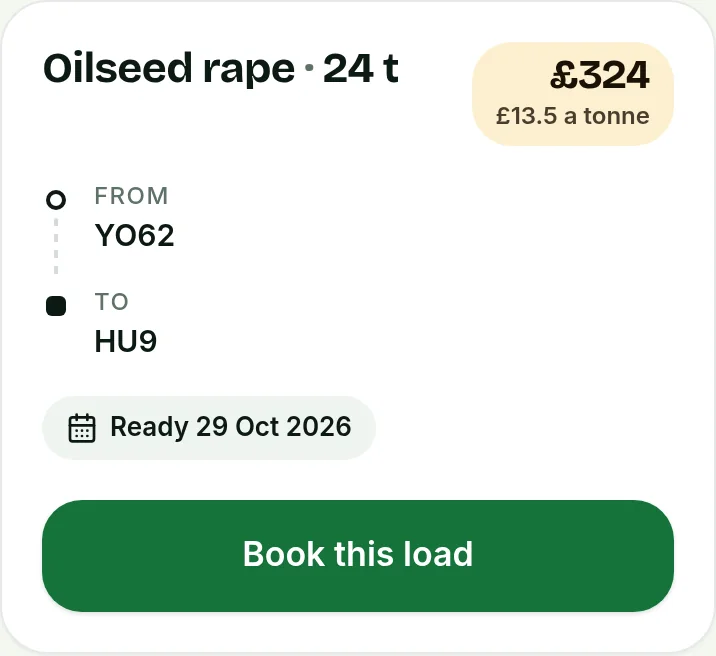
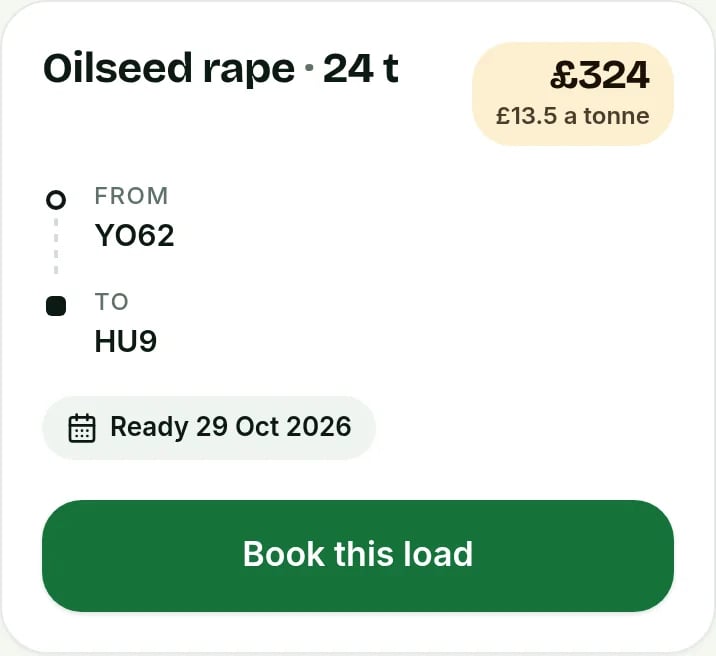
Open Find loads. Each load shows the crop, tonnes, the postcode areas it goes from and to, the ready date and the haulage price the farm offers. Press Near me, a Return trip button, or type a postcode to sort by distance.
 Tap to see the whole screen(opens the full-size picture)
Demo farm in the AgriSync test environment. - 2
Book it
Press Book this load. You then see the farm's name, the collection address, their contact and their notes for you.
- 3
Give it to a driver
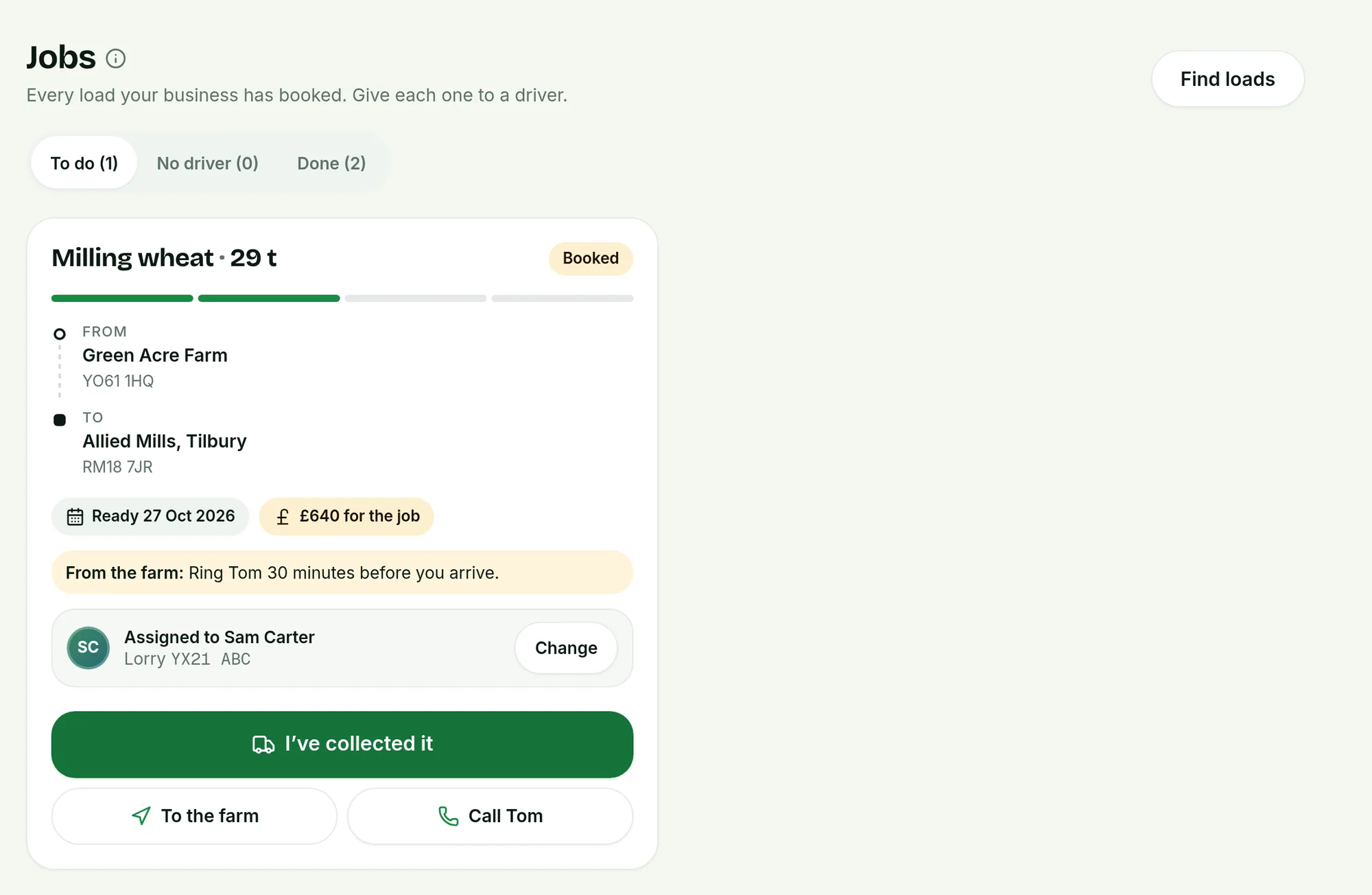
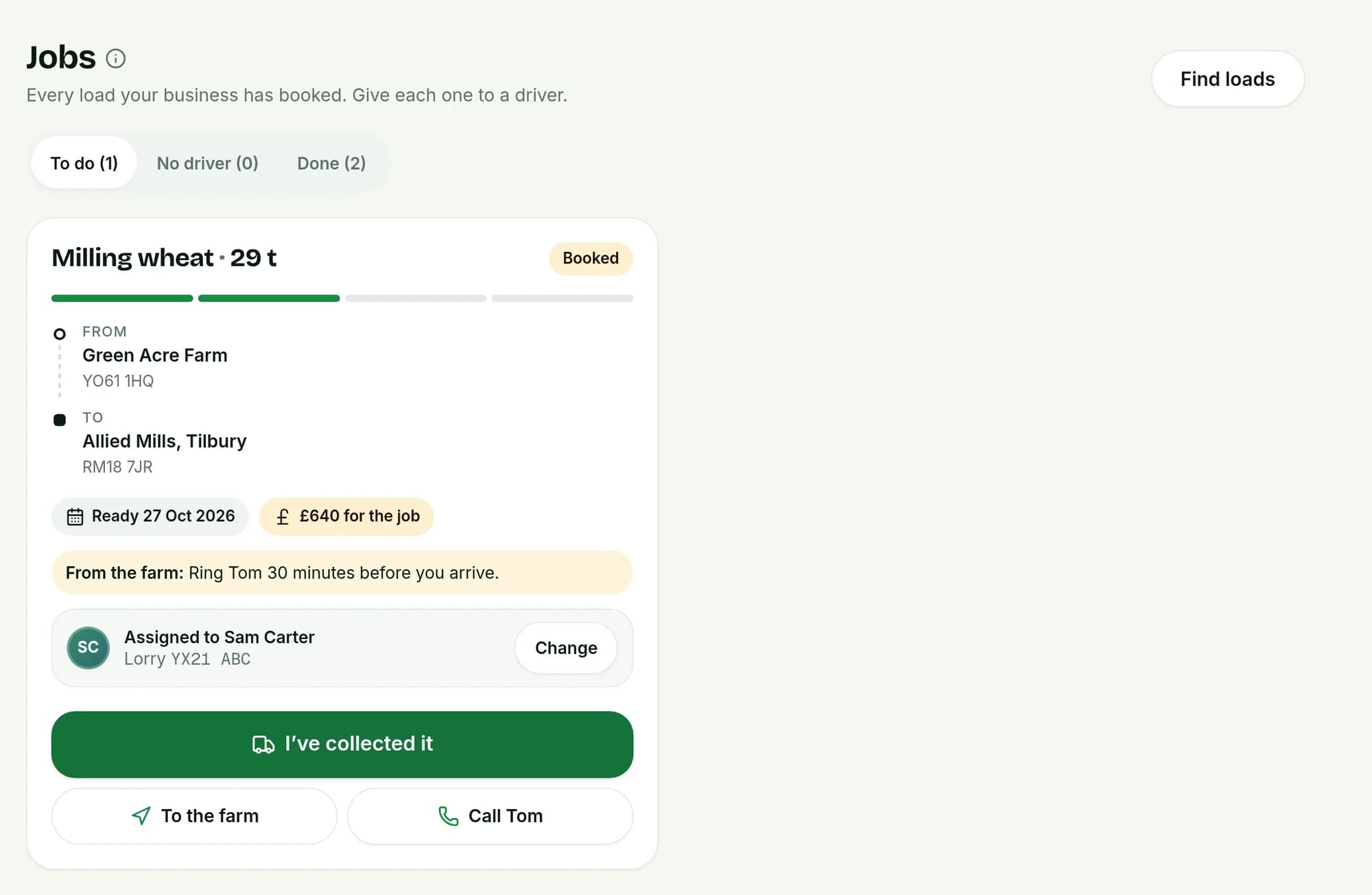
Open Jobs. On the job, press Assign, pick the driver and add the Lorry registration (optional). The driver gets a notification. If you work alone, jobs you book are given to you.
 Tap to see the whole screen(opens the full-size picture)
Demo farm in the AgriSync test environment. - 4
Collect the load
At the farm, press I've collected it. Use To the farm for directions, or call the farm from the job. Show the load passport QR code at the store if they ask.
- 5
Deliver it, with proof
Press Mark delivered. Take a photo of the tipped load or the ticket, say who took it in, such as Weighbridge, and press Done — mark delivered. The farm sees it straight away.
What does a driver see?
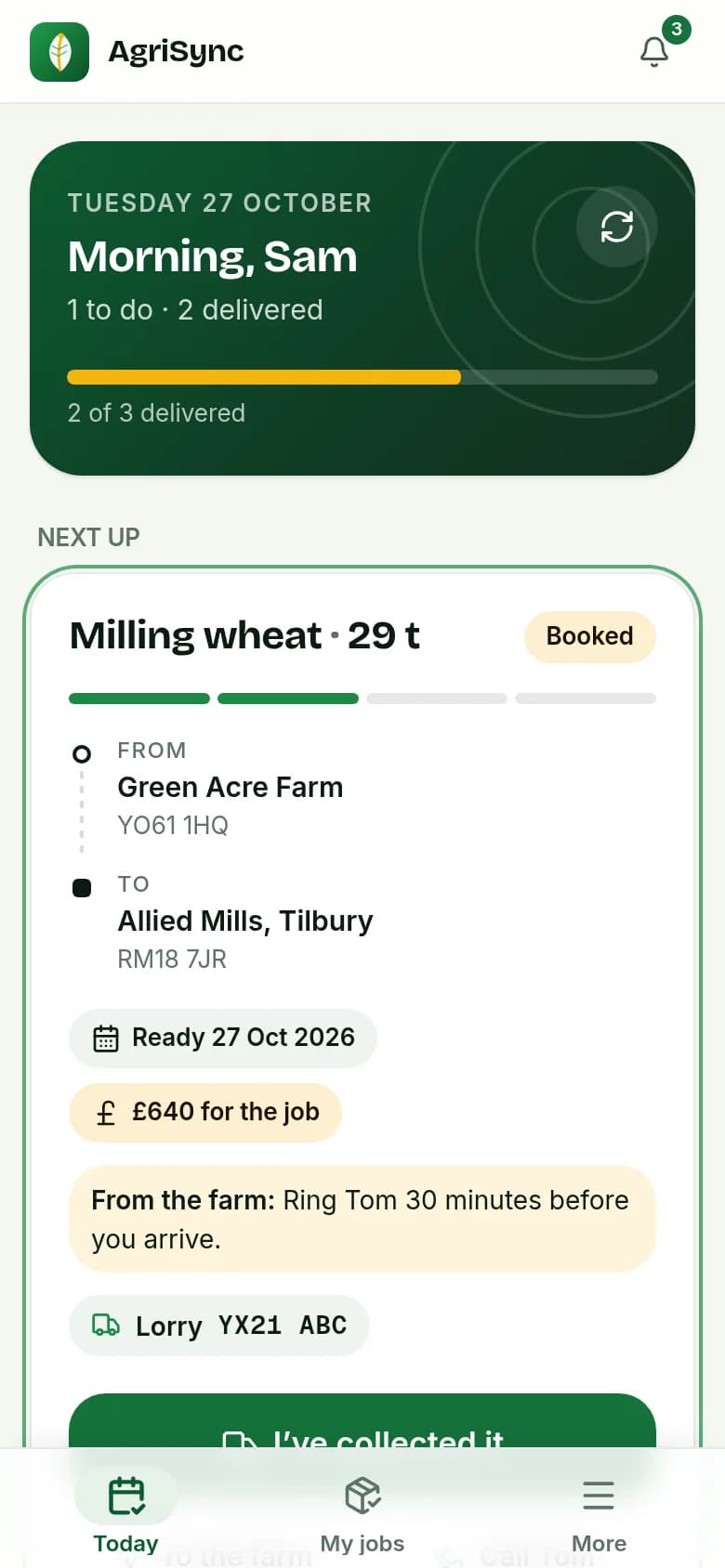
Drivers sign in with their mobile number and land on My day. It shows today's jobs, what's next and what's done, with one button for the next step. Drivers only see the jobs given to them. They can't see the job board or book loads.
How do I add drivers and a transport manager?
Open Team. Pick the role: Driver or transport manager. Choose Text or email, enter their mobile number or email and their name, and send the invite. The link works for 72 hours.
| Role | What they can do |
|---|---|
| Owner | Everything: book loads, give out jobs, edit the firm's details and manage the team |
| Transport manager | Book loads, give out jobs and see every job. Sees the team list |
| Driver | Only the jobs given to them: collect, deliver with a photo and show the passport QR |
Common questions
How do new-load alerts work?
When a farm posts a load in a region you cover, owners and transport managers get an alert in AgriSync. Set your regions in your haulage business details.
Can I give a job back?
Yes, before you collect it. The load goes back on the job board for other hauliers.
Do I see the farm's sale price?
No. You see the haulage price the farm offers, per tonne or for the job. The sale price is private to the farm.
Try it on your own farm
Free during early access. Start on your own, or we'll phone you and set up your fields with you.