Grain sales into your accounts, without retyping
How it works
In the web app.
Add a sale price to the load
Add your sale price per tonne when posting. Only your farm sees it.
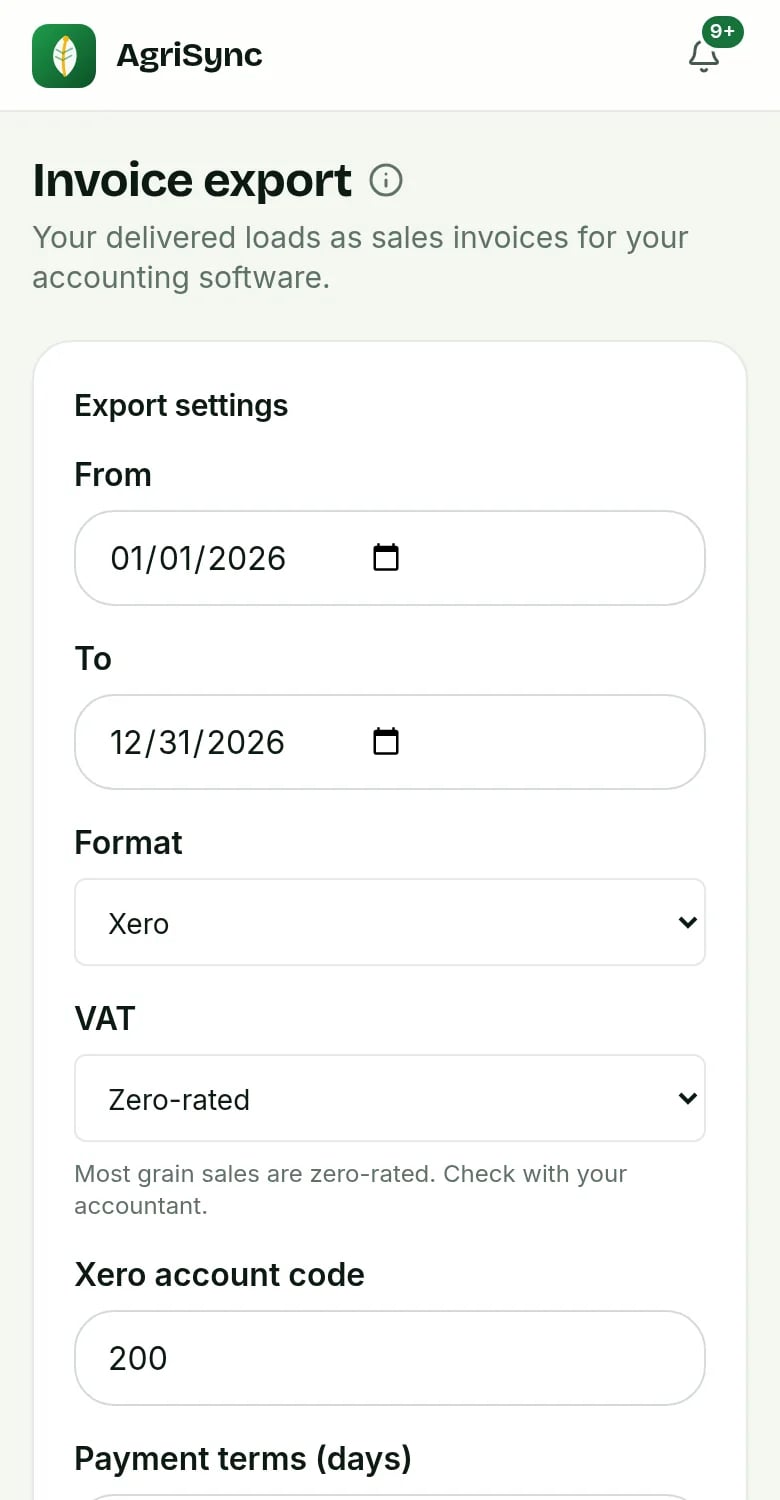
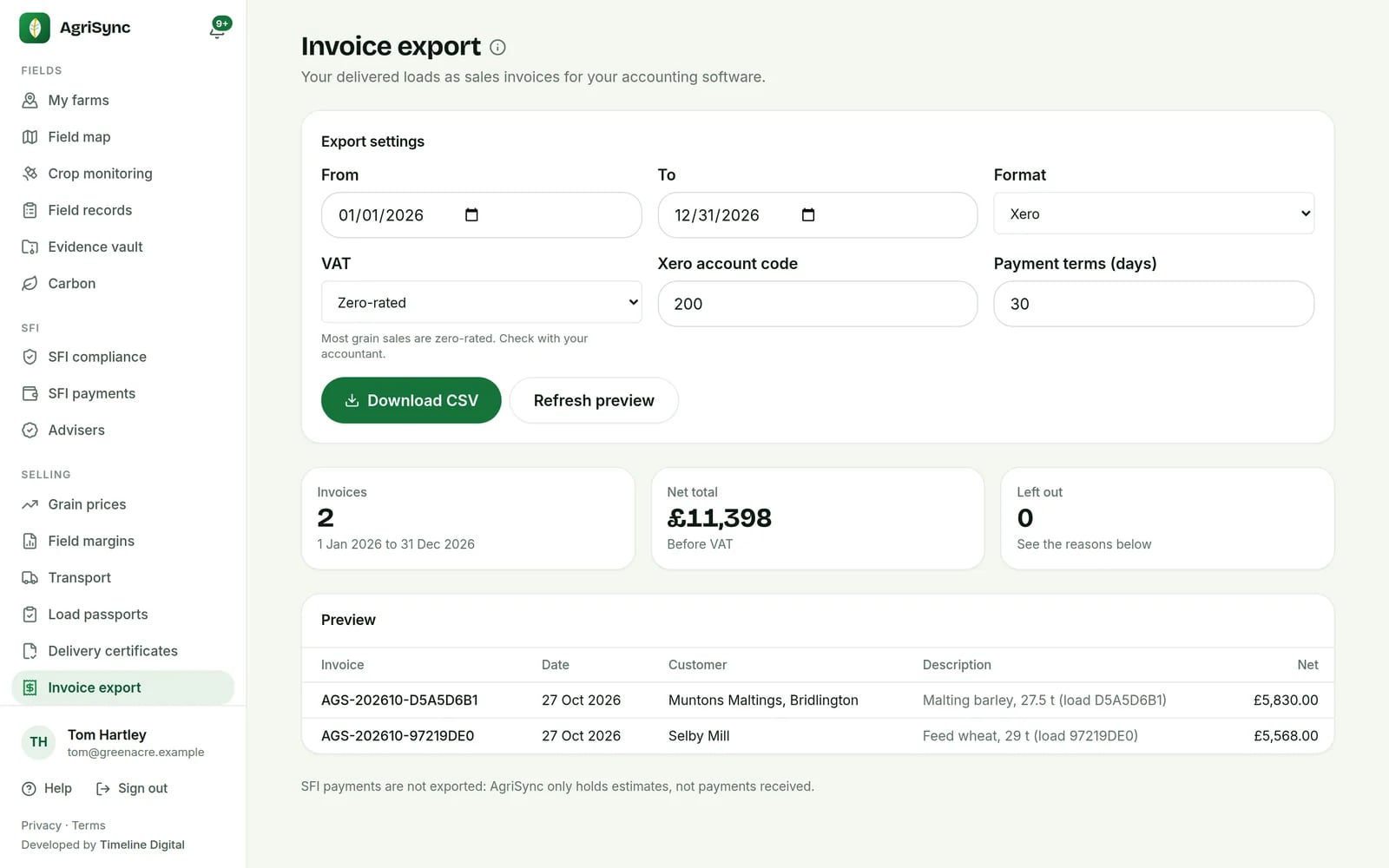
Pick dates and format
Xero, QuickBooks or CSV. Set VAT and terms, check the preview.
Download and import
Download the file and import it into your accounting software.
Common questions
What can I do with Invoice export in AgriSync?
Every delivered load with a sale price can become an invoice line. Pick the dates and the format, Xero, QuickBooks or a plain CSV, and download one file to import. AgriSync fills in the buyer, the tonnes, the price and an invoice number. You check it, then import it into your accounts.
What do I need to use it?
Delivered loads with a sale price. To be the farm owner or a farm manager. It is free during early access.
Does AgriSync send invoices?
No. It makes a file for you to import into your accounts. Your accounting software sends the invoices.
Which loads go in?
Only delivered loads with a sale price per tonne. Loads without a price are listed, so you can add one. SFI payment estimates are never included.
Which VAT should I pick?
Most grain sales are zero-rated. Check with your accountant. You can choose zero-rated, exempt or standard rate.

Free during early access
Try it on your own farm
We'll phone you and set up your fields with you, or you can start on your own. No card needed.