How to post a load, book a haulier and share a load passport
Post a grain load in five steps, offer a haulage price and keep your sale price private. Sign the load passport, share it by QR code, follow it to delivery.
Last checked against gov.uk
- Written by
- The AgriSync team
- Published
- Reading time
- 3 minutes
The five-step form is in the web app, on a computer or in your phone's browser. The Android app can post loads too.
In short
In AgriSync, open Transport and press Post a load. Answer five short steps: what you're sending, how much, from and to, when it's ready and the price. Press Post load. Hauliers who cover your area are told. Add the quality readings with Add readings and press Sign passport. The haulier or store scans the QR code.
What you need
- A farm set up in AgriSync
- To be the farm owner or a farm manager
- Your quality readings for the load, if you have them (moisture, protein, specific weight, Hagberg, admixture)
Steps
- 1
Start a new load
In the menu, under Selling, choose Transport. Then press Post a load.
- 2
What are you sending?
Pick the field the grain came from, and AgriSync fills in the crop. Or pick the crop on its own.
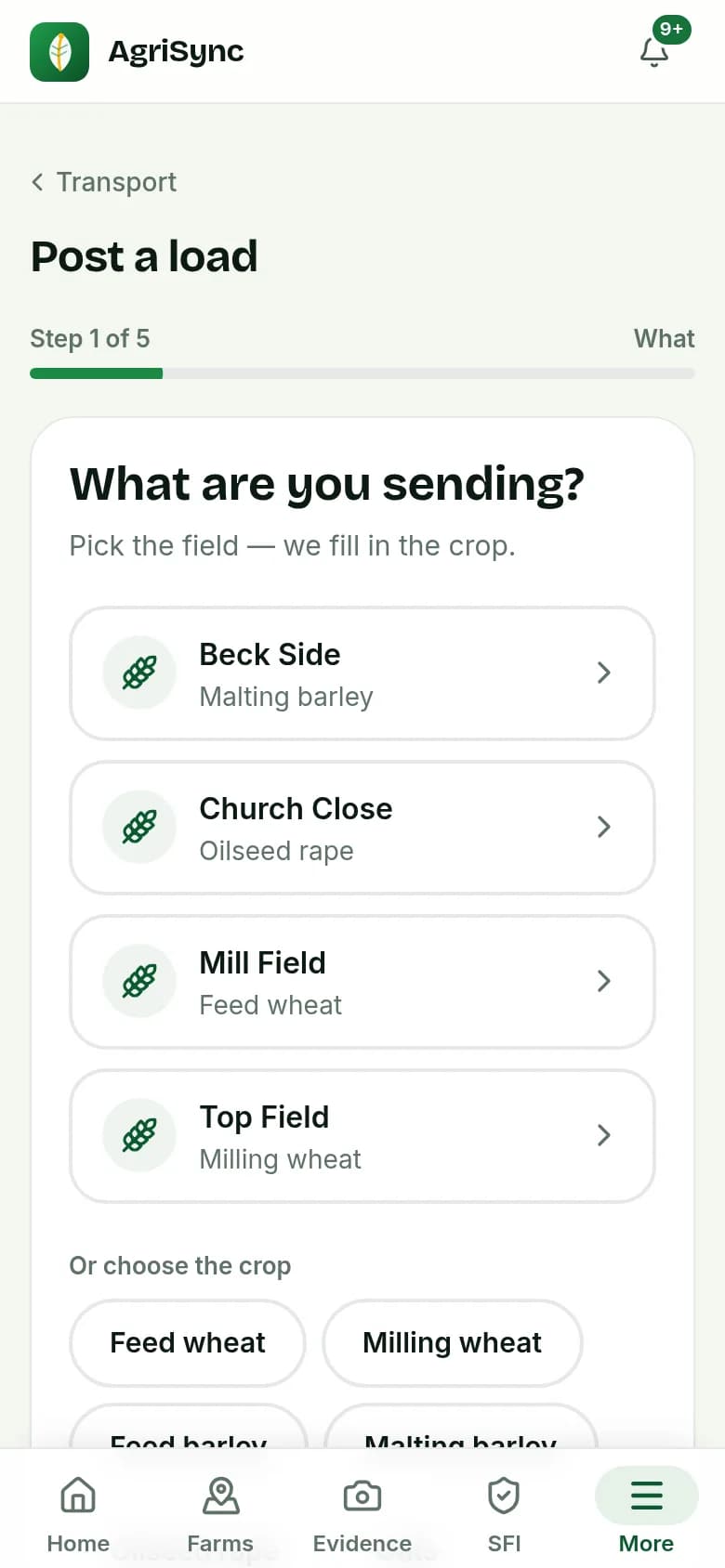
Demo farm in the AgriSync test environment. - 3
How much, from where and to where
Tap the tonnes, or type them. Your farm postcode is filled in. Pick a recent destination, or type where it's going and its postcode.
- 4
When is it ready?
Tap a date, such as Tomorrow, or pick one from the calendar.
- 5
Price, if you like
Under What you'll pay the haulier, enter a price a tonne or for the job. Under Your sale price, £ a tonne, enter what the buyer pays you. It is marked Private: hauliers never see it, and it goes on your invoice export. Add Notes for the haulier, such as a gate code.
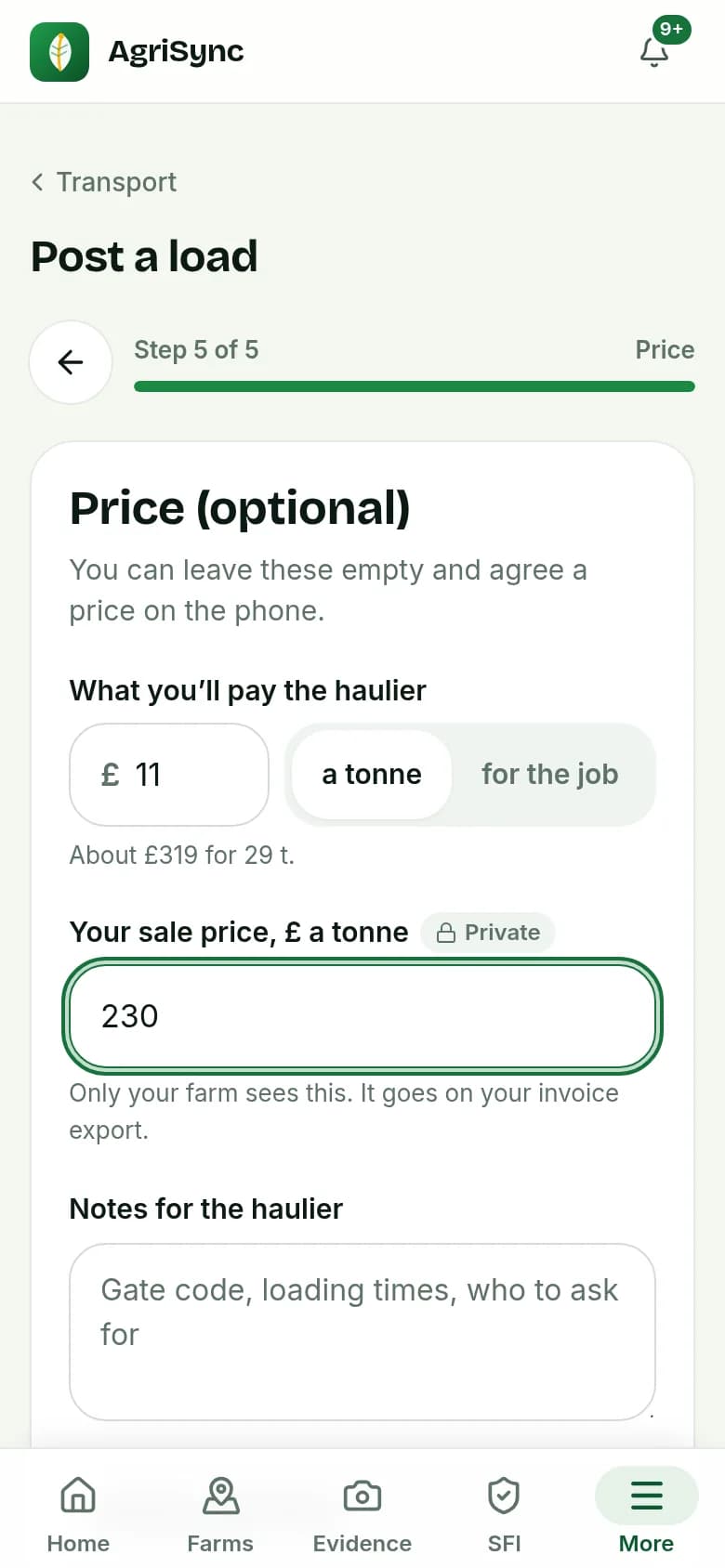
Demo farm in the AgriSync test environment. - 6
Post it
Check the summary and press Post load. Hauliers who cover your area are told. Not ready yet? Press Save as draft: only you can see a draft.
- 7
Add the passport and sign it
On the load's page, press Add readings. Fill in what you know: Moisture %, Protein %, Admix %, Specific weight kg/hl, Hagberg, varieties, assurance and notes. Press Sign passport.
- 8
Share the QR code
Press Show QR code for the driver and the weighbridge, or Copy link to send it. They see the passport on a web page, marked as signed by the farmer. They don't need an account.
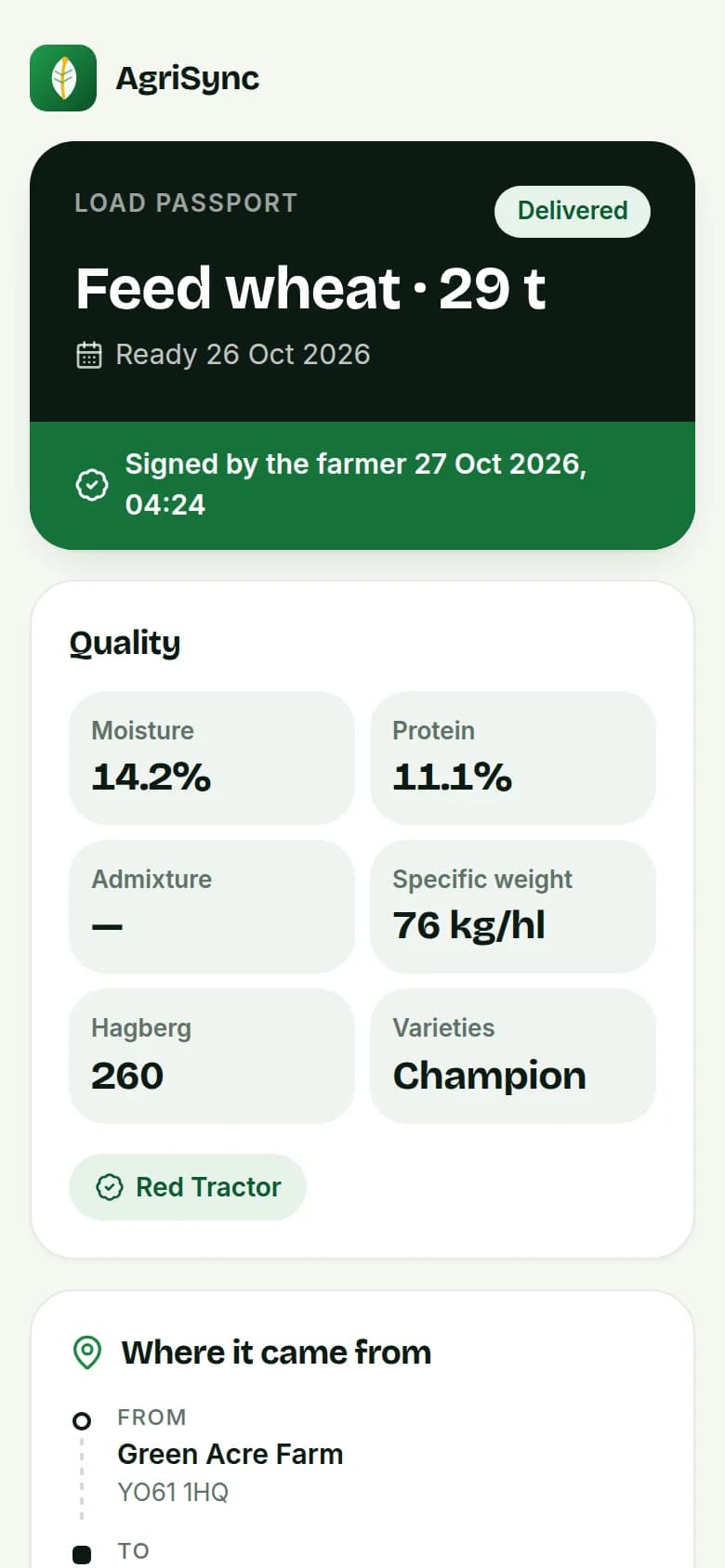
Demo farm in the AgriSync test environment.
What happens when a haulier books it?
You get a notification. The load page shows the haulier's firm, a button to call them and whether AgriSync has checked their O-licence. When they give the job to a driver, you see the driver's first name. Each step, booked, collected and delivered, shows with its time. At delivery, the driver records a photo, where it was taken and who took it in.
What can hauliers see about my load?
| Before they book | After they book | |
|---|---|---|
| Crop, tonnes and ready date | Yes | Yes |
| Where it's collected from | Postcode area only, like YO61 | Full address and postcode |
| Where it's going | Town or area only | The destination you entered |
| Haulage price you offered | Yes | Yes |
| Your farm name, contact name and phone | No | Yes, to arrange collection |
| Your notes for the haulier | No | Yes |
| Your sale price | Never | Never |
Anyone with the QR code or passport link can see the passport, with your quality readings. So only share it with people handling the load.
Can I cancel a load?
Yes, until it is collected. If a haulier has booked it, AgriSync asks you first and tells them. Once a load is collected, it can't be cancelled, so your delivery and invoice records stay complete.
Common questions
Does my haulier need an AgriSync account?
Only to book the load in AgriSync. Anyone can open the passport from the QR code or link, with no account.
Can a worker on my team post loads?
No. Only the account owner or a farm manager can post loads or sign passports.
Does AgriSync find a haulier for me?
It doesn't choose one for you. Hauliers on AgriSync who cover your area get an alert, and any of them can book your load.
Can I follow the lorry on a map?
No, there's no live tracking. The load page shows each step with its time.
Keep going
How-to guides
Read next
Try it on your own farm
Free during early access. Start on your own, or we'll phone you and set up your fields with you.