How to download your data or delete your account
Download everything AgriSync holds about you, take back permissions, or delete your account from Settings. After 30 days, deletion can't be undone.
Last checked against gov.uk
- Written by
- The AgriSync team
- Published
- Reading time
- 2 minutes
In short
In AgriSync, open Settings and go to Your data and privacy. Press Download my data to get a file with everything we hold about you. To delete, press Delete my account… Enter your password and type DELETE. Then press Yes, delete. The account closes straight away. It is deleted for good after 30 days.
What you need
- Your AgriSync password, if your account has one
Steps
- 1
Open Your data and privacy
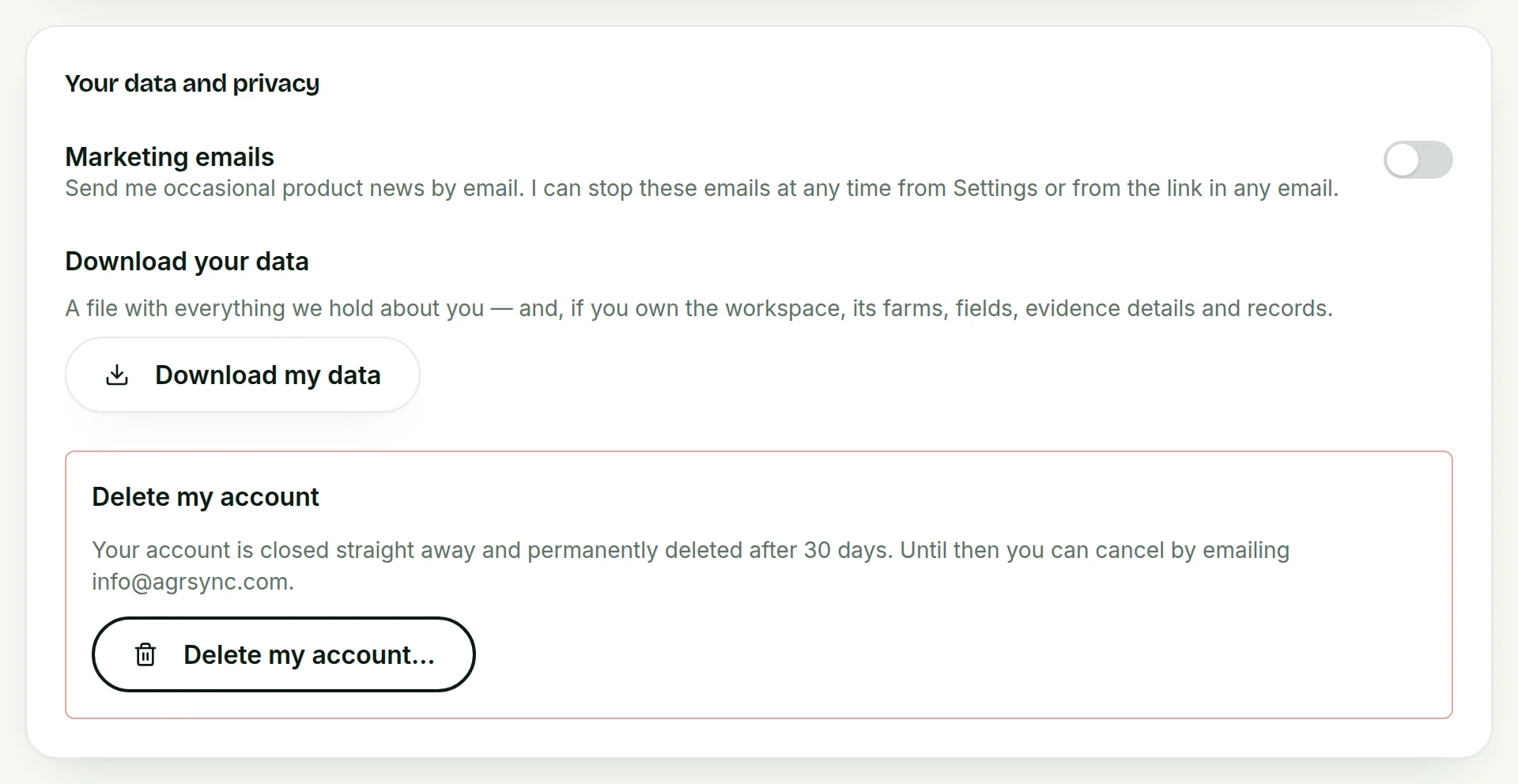
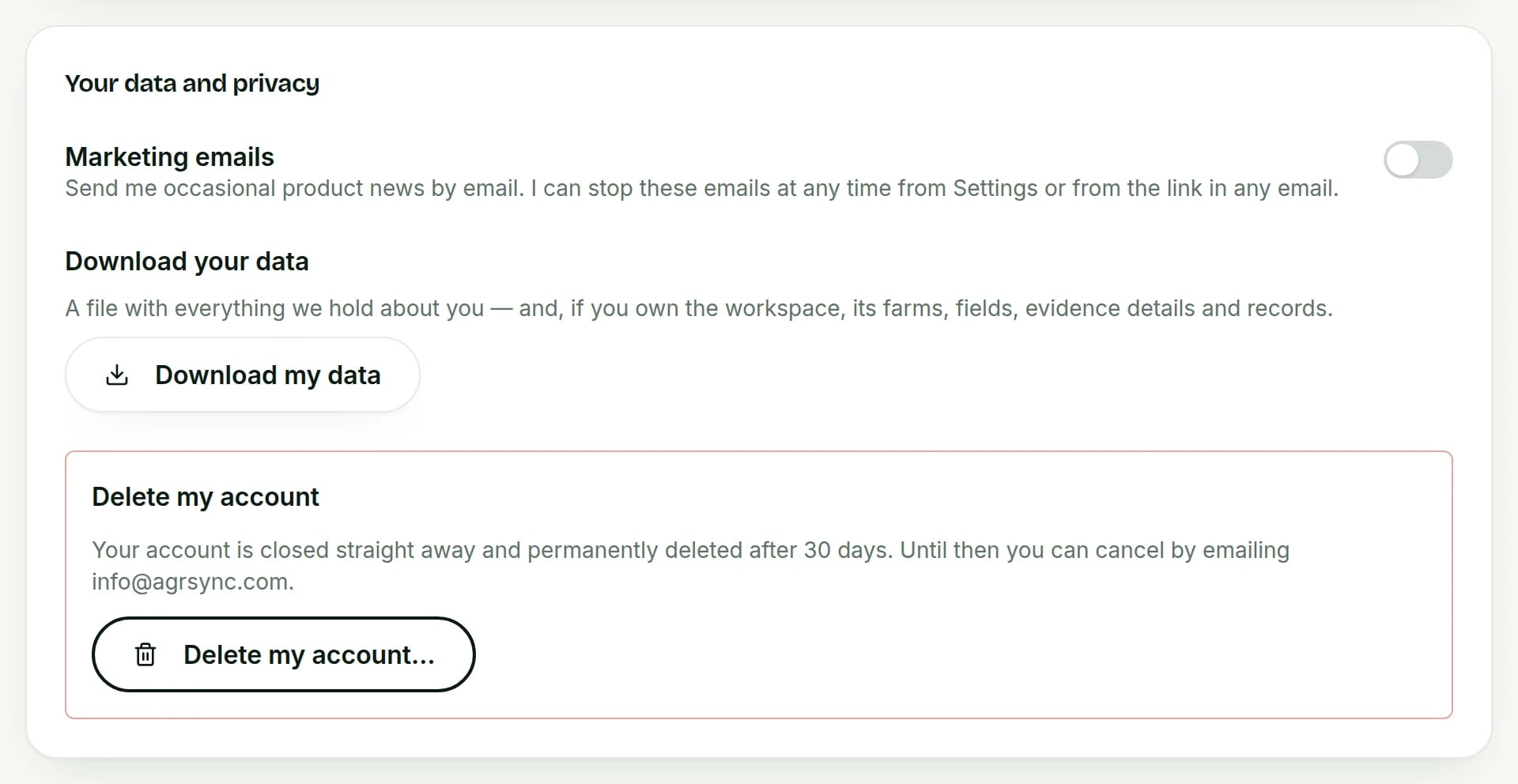
Open Settings and scroll to Your data and privacy.
 Tap to see the whole screen(opens the full-size picture)
Demo farm in the AgriSync test environment. - 2
Download your data
Under Download your data, press Download my data. You get a file with everything we hold about you. If you own the farm account, it also has its farms, fields, photo details and records. The Android app can do this too, in its account settings.
- 3
Start the deletion
Under Delete my account, press Delete my account….
- 4
Confirm it
Enter Your current password, if your account has one. Type DELETE where it asks. Press Delete my account. Then press Yes, delete.
- 5
Change your mind within 30 days
Your account closes straight away. It is deleted for good after 30 days. Until then, you can cancel by emailing info@agrisync.co.uk.
How do I withdraw a permission without deleting my account?
In Settings, go to Permissions you have given. Press Withdraw next to the permission. To stop sharing a farm with an adviser, remove them on the Advisers page. See share your farm with an adviser.
What are my data rights?
Under UK GDPR, the Information Commissioner's Office (opens in a new tab) says "individuals have the right to access and receive a copy of their personal data", and that UK GDPR "introduces a right for individuals to have personal data erased". In short, you can get a copy of your data and ask us to delete it. Our privacy policy explains what we hold and why.
How do I stop marketing emails?
Turn off Marketing emails in Your data and privacy. Or use the link in any of our emails.
Common questions
What's in the download?
Everything AgriSync holds about you. If you own the farm account, it also has its farms, fields, photo details and records.
Can I undo a deletion?
Yes, within 30 days. Email info@agrisync.co.uk. After 30 days the account is deleted for good.
Does withdrawing the RPA permission delete my fields?
No. AgriSync stops fetching new data. It removes the fetched field outlines you haven't redrawn. Your fields, names and crop records stay.
Sources
Every source was checked on 25 October 2026. If something has changed, tell us at info@agrisync.co.uk.
- 1.Individual rights (opens in a new tab), Information Commissioner's Office (ICO)
Try it on your own farm
Free during early access. Start on your own, or we'll phone you and set up your fields with you.