How to export your grain sales to Xero, QuickBooks or a spreadsheet
Turn delivered loads with a sale price into an invoice import file for Xero or QuickBooks, or a CSV for Sage or Excel. Pick the dates, VAT and payment terms.
Last checked against gov.uk
- Written by
- The AgriSync team
- Published
- Reading time
- 2 minutes
Works in the web app. You need to be the farm owner or a farm manager.
In short
In AgriSync, open Invoice export. Pick the From and To dates, choose the Format (Xero, QuickBooks or a plain CSV), the VAT and your payment terms. Check the preview, then press Download CSV and import the file into your accounts. Only delivered loads with a sale price go in.
What you need
- Delivered loads in AgriSync, each with your sale price per tonne
- To be the farm owner or a farm manager
Steps
- 1
Add your sale price to each load
When you post a load, fill in Your sale price, £ a tonne. It is marked Private: only your farm sees it, never the haulier.
- 2
Open Invoice export
In the menu, under Selling, choose Invoice export. Or press Export invoice on a delivered load.
- 3
Choose the dates and format
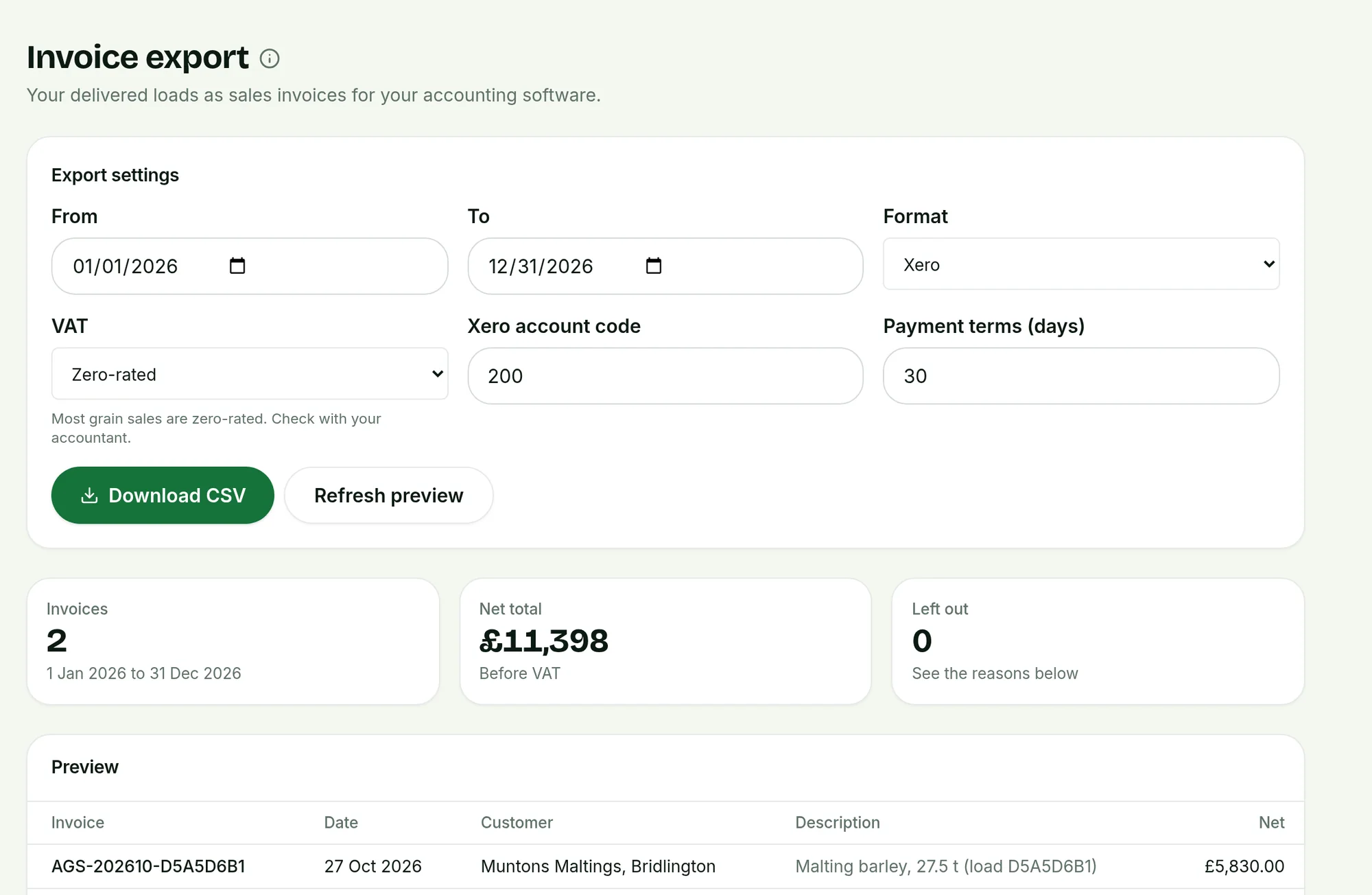
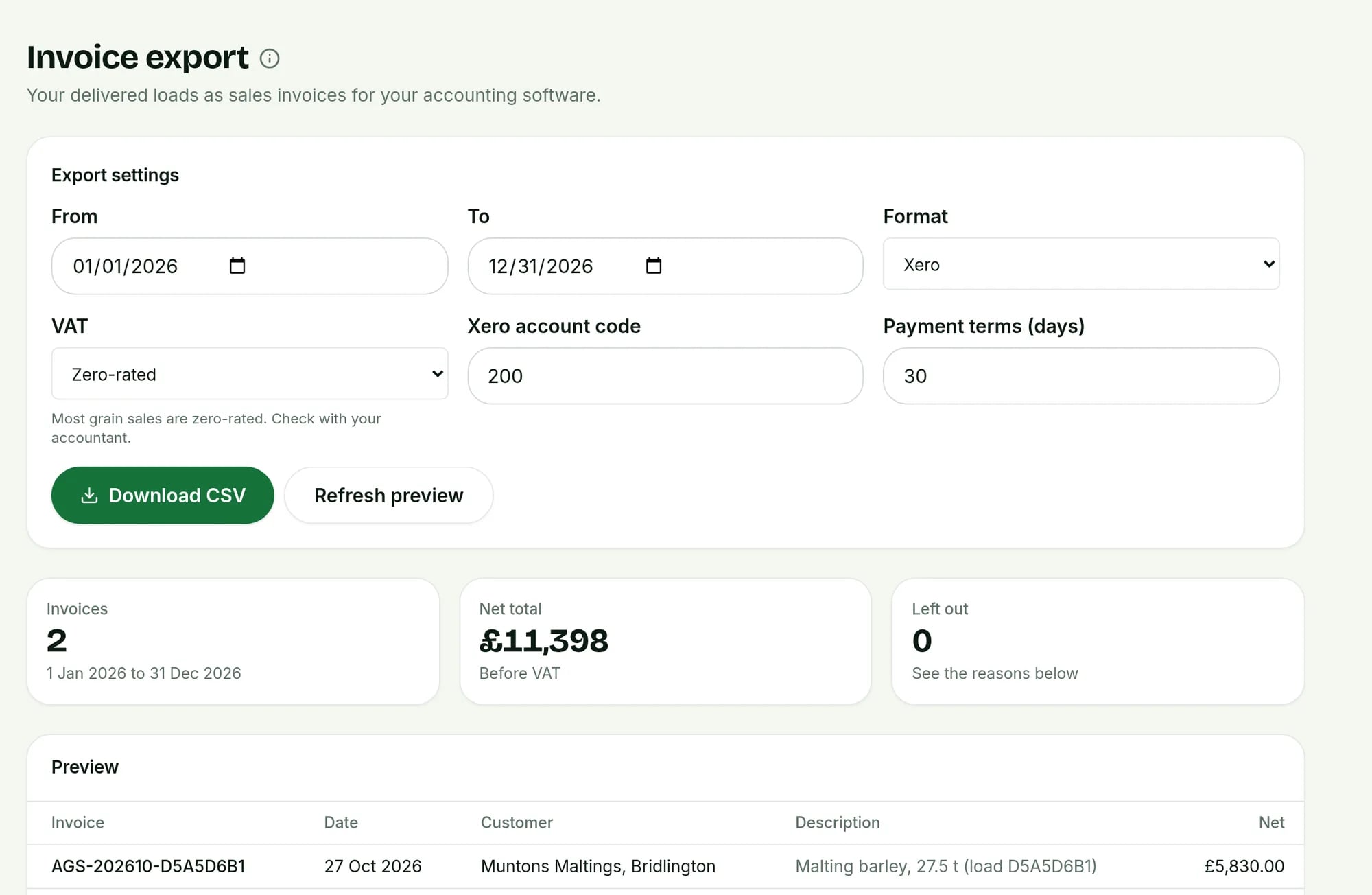
Set From and To. Under Format, pick Xero, QuickBooks or a plain CSV. Choose the VAT. Most grain sales are zero-rated, but check with your accountant. For Xero, check the Xero account code. Set Payment terms (days).
 Tap to see the whole screen(opens the full-size picture)
Demo farm in the AgriSync test environment. - 4
Check the preview and download
The preview lists each invoice with its number, date, buyer, description and net amount. Loads without a sale price are listed separately, so you can add one. Press Download CSV.
- 5
Import it into your accounts
In Xero or QuickBooks, use their invoice import and choose the file. For Sage or Excel, open the plain CSV.
Common questions
Which date goes on the invoice?
The delivery date from the haulier's proof of delivery. If there isn't one, the date the load was ready.
Who is the customer on the invoice?
The destination you entered when you posted the load, such as the mill or store.
Try it on your own farm
Free during early access. Start on your own, or we'll phone you and set up your fields with you.