How to read your SFI to-do list and download an audit PDF
What the Audit readiness score means, the four checks behind it, how to fix each job on the list and how to download a farm's audit PDF in AgriSync.
Last checked against gov.uk
- Written by
- The AgriSync team
- Published
- Reading time
- 2 minutes
In short
Open SFI compliance in AgriSync. You see an Audit readiness score out of 100 and an SFI to-do list for every field. A field is ready when four checks pass. It is mapped, its size is saved, it has a recent photo or document, and the photo was taken in that field. Press Fix to sort each job.
What you need
- Your fields set up in AgriSync
- Some field photos, or a phone to take them
Steps
- 1
Open SFI compliance
In the menu, under SFI, choose SFI compliance.
- 2
Read the score and the summary
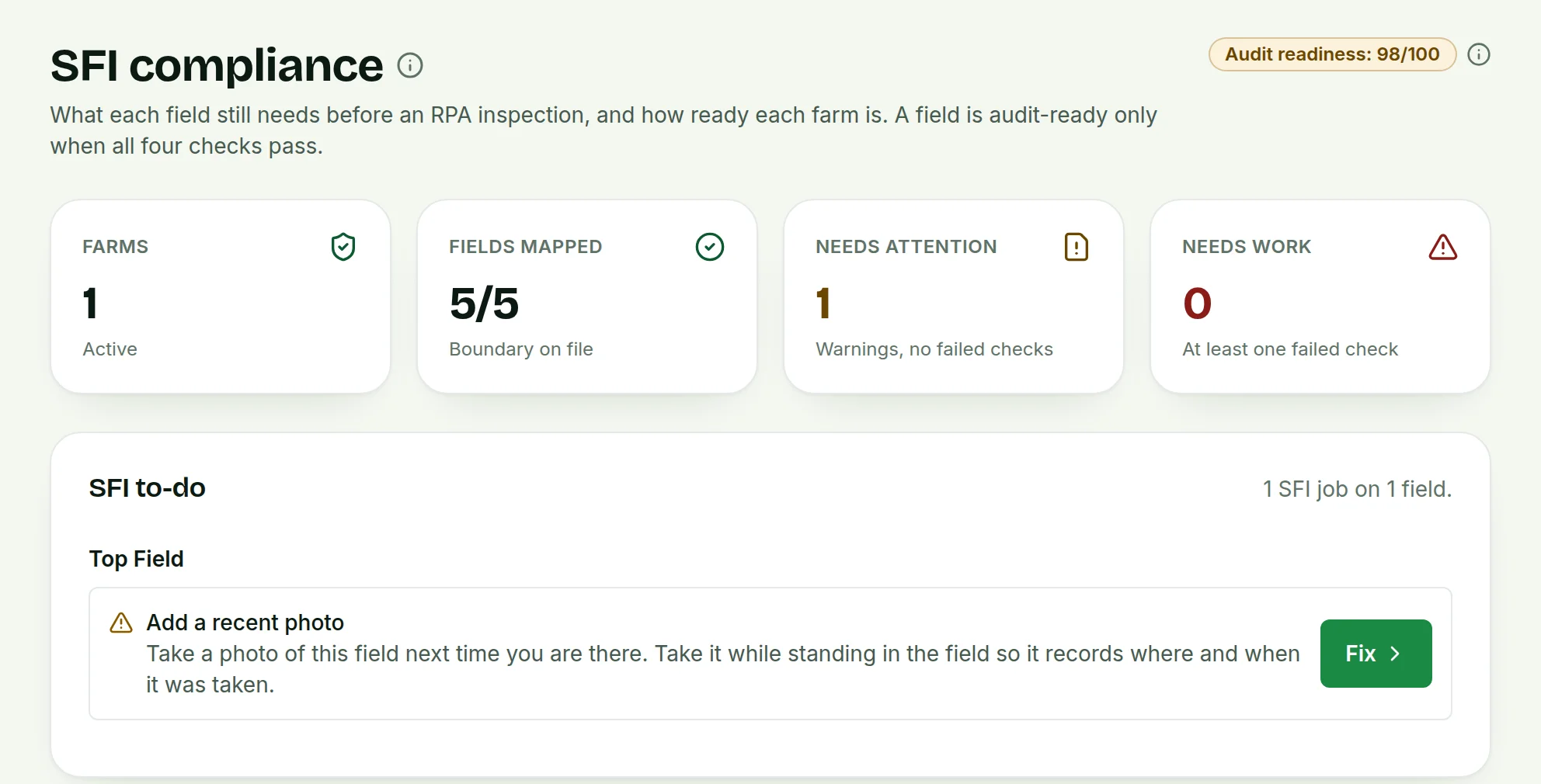
At the top is Audit readiness: N/100. The cards show your Farms and Fields mapped. Needs attention counts fields with a warning but no failed check. Needs work counts fields with at least one failed check.
 Tap to see the whole screen(opens the full-size picture)
Demo farm in the AgriSync test environment. - 3
Work through the SFI to-do
Under SFI to-do, each job is listed by field, such as Add a recent photo or Draw the field boundary. Press Fix to go straight to the right place.
- 4
Filter your farms
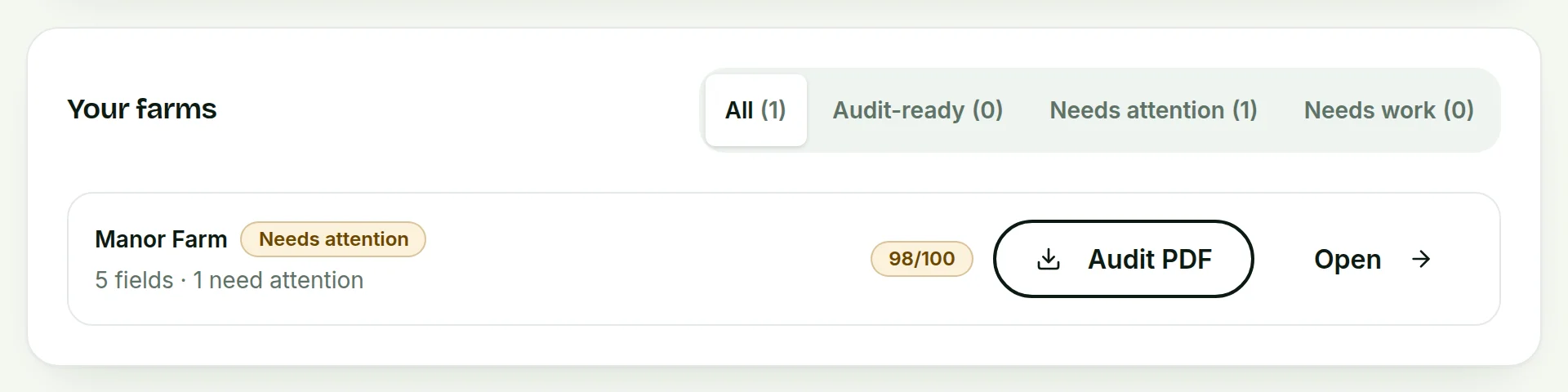
Under Your farms, press All, Audit-ready, Needs attention or Needs work. This shows which farms need you most. Open takes you to the farm.
 Tap to see the whole screen(opens the full-size picture)
Demo farm in the AgriSync test environment. - 5
Download the audit PDF
Press Audit PDF next to a farm. AgriSync makes one PDF with each field's checks and the photos behind them. You can email it or print it.
What are the four checks?
| Check | Passes when | To fix it |
|---|---|---|
| Field is mapped | The field has an outline on the map | Draw the boundary |
| Field size recorded | The field has an area | Draw or edit the outline |
| Recent photo or document | Something was added in the last 90 days. 90 days to a year gives a warning. Over a year fails | Take a photo |
| Photo location matches the field | A photo was taken inside the field's outline | Take a photo standing inside the field |
A field is audit-ready only when all four checks pass.
Common questions
Why does a field say "Needs attention" when it has photos?
Usually its newest photo or document is more than 90 days old. Add a new one to clear the warning.
Is the audit PDF an official RPA document?
No. It is your own record. It is laid out so an inspector, land agent or buyer can follow it quickly.
Can my adviser see the to-do list?
Yes, if you say so. Share the farm with them on the Advisers page, then press Allow compliance and evidence. They see the to-do list, field checks and evidence, read-only. You can stop it at any time on the Advisers page.
Sources
Every source was checked on 26 October 2026. If something has changed, tell us at info@agrisync.co.uk.
- 1.SFI26: scheme rules and guidance (opens in a new tab), GOV.UKv4.0, August 2026 (page updated 23 September 2026)
- 2.SFI26 actions (print version) (opens in a new tab), GOV.UKv2.0, June 2026 (page updated 23 September 2026)
Keep going
How-to guides
Read next
Try it on your own farm
Free during early access. Start on your own, or we'll phone you and set up your fields with you.